
Your TuffPuff Welcome Bonus Awaits
Claim Your TuffPuff BonusSign In and Play Through Your Tuffpuff Account
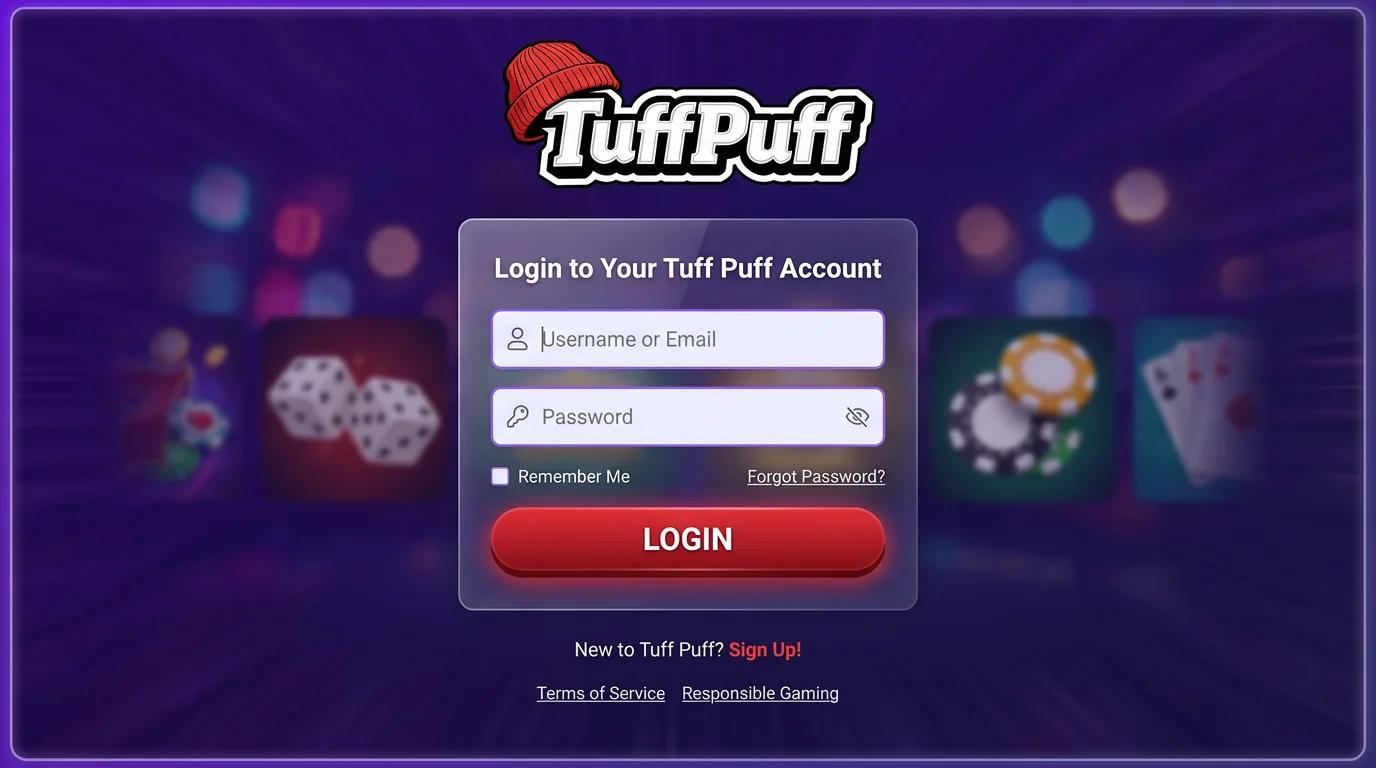
The Tuffpuff Casino Login window gives you access to games, account rewards, payment tools, verification messages, and profile settings. You can enter with your username or registered email and password, while Google sign-in may also appear when it is linked to your player profile.
This guide explains registration, the Casino Tuffpuff Login process, game navigation, transactions, mobile access, and account protection. Your Tuffpuff Login details remain connected to one personal profile, which keeps your balance and account activity together across supported devices.
Why Create a Tuffpuff Account
A registered account connects your gameplay, bonuses, payment activity, verification status, and security controls. We allow one account per player, so you can manage every casino function through one profile instead of creating separate records for different devices or promotions.
You need an account before you can use real-money services. Accurate registration information also gives our finance and security teams a consistent record when you request a withdrawal or update important personal details.
Faster Access to Games
Once you have signed in, you can move directly between the game lobby, provider pages, Promotions, Galaxy Map, Space Wars, Loyalty, and Live chat. Search accepts a title or provider name, helping you reach a familiar game without browsing the entire catalogue.
Your account gives you quick access to:
- Cash and promotional balances
- Game and provider search
- Current casino promotions
- Deposit and withdrawal tools
- Verification requests
- Profile and security settings
- Customer assistance
The Casino Tuffpuff Login session remains active while you move between these platform areas, subject to your browser settings and session security. Required cookies may be needed to maintain access.
Personalised Player Features
Here’s where the account becomes specific to you. Your available balance, credited rewards, payment requests, verification status, and account messages reflect activity connected with your personal profile.
| Player Feature | What It Shows |
| Account balance | Available cash and promotional funds |
| Bonus area | Credited, active, completed, or expired rewards |
| Cashier | Available payment methods and transaction controls |
| Verification | Requested identity or payment documents |
| Profile | Personal information and security settings |
| Support | Assistance with account-specific issues |
Featured lobby rows such as Popular, New, Hot, and Vader Picks are curated game sections rather than guaranteed personal recommendations. The live platform provides the final arrangement displayed after entry.
Tuffpuff Casino Registration Steps
New players can begin Tuffpuff Signup through the Sign Up control on the homepage or the account-creation link inside the login window. The Tuffpuff Casino Register process requires complete and accurate personal data, including your name, surname, date of birth, address, phone number, and email.
Follow these steps:
- Open the official casino homepage.
- Select “Sign Up".
- Enter the requested personal details.
- Create a unique password.
- Confirm that you meet the age requirement.
- Review the terms and privacy information.
- Submit the registration form.
- Follow any confirmation request displayed to you.
| Registration Detail | Why It Matters |
| Legal name | Must correspond with identity documents |
| Date of birth | Supports age verification |
| Residential address | Matches proof-of-address records |
| Receives recovery and account messages | |
| Phone number | Supports contact and security checks |
| Password | Protects your player profile |
You must be at least 18 and meet any higher legal gambling age in your jurisdiction. Anonymous accounts, fictitious identities, and multiple player profiles are prohibited.
Keep access to the email used for Tuffpuff Signup. The supplied platform materials confirm email-based communication, although they do not establish one universal mandatory confirmation sequence for every newly created profile.
How the Sign-In Process Works
The Tuffpuff Casino Login panel includes fields for Username or email and Password. It also displays Google access, password recovery, account creation, and the “Need help?” link for players who require assistance before reaching their dashboard.
Complete the sign-in process in this order:
- Open the official casino page.
- Check the website address in your browser.
- Select “Log In".
- Enter your username or registered email.
- Type your current password.
- Review both fields for errors.
- Submit the form.
- Complete any additional security prompt.
| Access Route | What You Need |
| Username | Registered username and password |
| Registered email and password | |
| The Google profile linked to your casino account | |
| Password reset | Access to the registered email |
| Help link | Original account details and a description of the issue |
The Casino Tuffpuff Login form accepts either your username or email, so forgetting one identifier does not automatically prevent access. Check Caps Lock, keyboard language, copied spaces, and browser autofill before requesting a new password.
Choosing Games After Login
After completing the Tuffpuff Casino Login process, you can browse the lobby through search, game categories, and provider pages. Each title has its own rules and conditions, so you should open its information panel before placing a wager.
Slots, Table Games and Live Casino
The game lobby includes several confirmed categories:
- All Games
- Popular
- New
- Hot
- Vader Picks
- Slots
- Jackpot
- Live Casino
- Bonus Buy
- Instant Games
- Crash Games
- Roulette
- Blackjack
| Game Category | What You Can Expect |
| Slots | Reel games with provider-specific features |
| Jackpot | Fixed or progressive prize formats |
| Live Casino | Streamed dealer tables |
| Bonus Buy | Titles offering direct feature purchases |
| Instant Games | Shorter round formats |
| Roulette | Digital wheel variations |
| Blackjack | Automated card-game versions |
Game availability can change according to provider coverage, account location, and catalogue updates. The live lobby supplies the final selection available to you.
Featured and Recommended Titles
Now, use Popular, New, Hot, and Vader Picks to explore highlighted releases. Provider pages give you another route when you already know which software studio you prefer.
The platform shows providers such as:
- BGaming
- VoltEnt
- Pragmatic Play
- Mascot
- Play’n GO
- Evoplay
- Yggdrasil
- Platipus
Search is especially useful on mobile because fewer game cards fit on a smaller display. The Casino Tuffpuff Login session keeps your account balance connected while you move between categories and studios.
Curated rows can change as new releases and promotions enter the lobby. Search remains the clearest route when you want to find an exact game again.
Accessing Player Rewards and Promotions
Open Promotions after signing in to review rewards available to your profile. These can include first-deposit offers, recurring campaigns, free spins, cashback, Galaxy Map activity, tournaments, and loyalty benefits.
Before activating an offer, check:
| Bonus Condition | What You Should Review |
| Qualifying action | Registration, deposit, or account activity |
| Reward value | Promotional funds, spins, or cashback |
| Wagering | Required play-through before conversion |
| Eligible games | Titles that contribute toward progress |
| Maximum stake | Complete permitted cost per round |
| Expiry | Activation and completion deadlines |
| Cashout limit | Maximum promotional winnings that can convert |
The general bonus terms allow one active reward at a time, and deposit offers are non-cumulative. Standard slots contribute 100% toward wagering, eligible instant games contribute 10%, qualifying roulette contributes 5%, and other games contribute 0%.
Live dealer games, traditional tables, and jackpots remain unavailable with an active promotional balance. A withdrawal made before wagering completion cancels the promotional funds and related winnings.
Your Tuffpuff Casino Login account should show the current status of each reward. Read the individual campaign conditions because the value, multiplier, game list, and expiry can differ between offers.
Reviewing Deposits and Withdrawals
Here’s where your account connects with payment providers. You can open the cashier after completing the Casino Tuffpuff Login process, choose an available method, and review the currency and limits shown for your profile.
General payment categories can include:
- Credit and bank cards
- E-wallets
- Direct bank payment methods
- Bank transfers
- Cryptocurrency methods
- Other regional services displayed in the cashier
Some deposits arrive quickly, while other methods may take several business days. Payment availability depends on your location and account, so the live cashier provides the final selection and processing information.
A standard deposit follows these steps:
- Open the cashier.
- Select Deposit.
- Choose an available method.
- Review the currency and limits.
- Enter the amount.
- Select a promotion when required.
- Complete bank or wallet authentication.
- Check the updated balance.
Withdrawals normally return through the method used for the original deposit. When that route cannot receive funds, we may request an alternative method together with evidence that it belongs to you.
| Withdrawal Stage | What You Should Do |
| Submitted | Confirm the amount and payment method |
| Documents requested | Upload complete and readable files |
| Under review | Keep your registered email accessible |
| Approved | Allow the payment provider to complete processing |
| More information required | Reply through the approved account route |
Your first withdrawal requires identity verification. We may also suspend a cashout while checking your age, identity, location, account ownership, or payment details.
Using Tuffpuff Casino on Mobile
The platform includes App for iPhone and App for Android options, together with responsive browser access. Its technical setup also supports mobile web app functionality, an Apple touch icon, and a web manifest.
You can use the same profile through:
- Safari on an iPhone or iPad
- Chrome or another current Android browser
- The official iPhone route
- The official Android route
- A supported home-screen shortcut
- A desktop or tablet browser
The Tuffpuff Login details remain the same across supported devices. Your balance, rewards, withdrawal requests, and verification status stay connected to the account rather than one particular phone or computer.
For safer mobile use:
- Update your operating system and browser.
- Enable required cookies.
- Protect the device with a PIN or biometric lock.
- Use a stable personal connection.
- Avoid storing credentials on a shared phone.
- Sign out when another person may use the device.
The supplied materials do not publish fixed installation sizes or minimum operating-system versions. Follow the technical details displayed through the live device route.
Updating Your Password and Profile
Now, keep your account details current. You can use password recovery when you forget your credential, while changes to legal or contact information may require customer-support assistance.
The terms require you to provide correct personal data and update it when necessary. They specifically identify your name, surname, birth date, address, phone number, and email as part of the account record.
Review these areas regularly:
- Registered email and phone number
- Residential address
- Password
- Two-factor authentication
- Verification messages
- Marketing preferences
- Responsible-play controls
Use the “Forgot your password?” link when you need to replace your credential. After creating a new password, update or remove the old value saved by your browser.
The Tuffpuff Signup information should remain aligned with your current documents. Contact us promptly when an important profile field changes and direct editing is unavailable.
Handling a Locked Account
A locked account can result from a password problem, security review, verification request, duplicate profile, or suspected breach of the account rules. Start by requesting a new password and checking your registered email for an explanation.
The FAQ recommends this sequence:
- Request a password reset.
- Open the newest recovery message.
- Try the updated credential.
- Check your inbox for account notifications.
- Contact customer support when access remains blocked.
| Possible Cause | Recommended Action |
| Forgotten password | Use the recovery link |
| Old password autofills | Remove the saved browser entry |
| Verification requested | Submit the required documents |
| Duplicate account | Recover the original profile |
| Self-exclusion active | Wait until the applicable restriction ends |
| Security review | Follow the instructions sent to your email |
Avoid another Tuffpuff Casino Register attempt. A duplicate account can be blocked, and associated bonuses or winnings can be cancelled under the account terms.
Your original Tuffpuff Signup profile keeps your balance, payment history, and verification record together. Recovery and support provide the correct route back to that account.
Safe Play and Account Protection
Let’s protect your account and keep gameplay manageable. Use a unique password, secure your registered email separately, and enable two-factor authentication through the profile area.
The responsible gaming page recommends 2FA as an additional security layer and directs players to My Account and the Profile section for setup.
Use these safeguards:
- Create a password used only for the casino.
- Enable two-factor authentication.
- Protect your email with its own password.
- Check the official address before signing in.
- Keep browsers and devices updated.
- Review unfamiliar payment activity.
- Use payment methods in your own name.
- Sign out fully on shared devices.
Responsible-play controls also include Take a Break for 1 day, 3 days, or 1 week, Reality Check reminders after 60, 90, or 180 minutes, and indefinite self-exclusion by request.
On a shared device, decline password-saving prompts, finish your account activity, sign out, and close every casino tab. Avoid completing payments or document uploads through public Wi-Fi.
Support Options for Registered Players
Tuffpuff support is available through Live chat and the contact routes shown on the platform. The login window also contains the “Need help?” link, which gives you an assistance route when you cannot reach the player dashboard.
Prepare these details before contacting us:
- Registered username or email
- Device and browser
- Approximate date and time
- Exact error message
- Game or promotion name
- Payment amount and method, when relevant
- Screenshot with sensitive information hidden
- Troubleshooting steps already completed
Use Live chat for immediate login, game, promotion, or payment questions. Email is useful when your case requires a longer explanation, transaction details, or requested documents. The terms list support@slotsvader.com as the customer-service email for the source platform.
Never send your password, full card number, email security code, or wallet recovery phrase. We may request approved verification documents, while your login credentials must remain private.
A final Tuffpuff Casino Register attempt is unnecessary when you already have a profile. Contact support or recover your password so your games, rewards, transactions, and settings stay connected to the original account.